flowchart TD
   1((" ")):::current
   classDef current stroke: #f96, stroke-width: 2px
Emacs as a programming IDE
Content from the webinar slides for easier browsing.
I am not trying to start an editor war here.
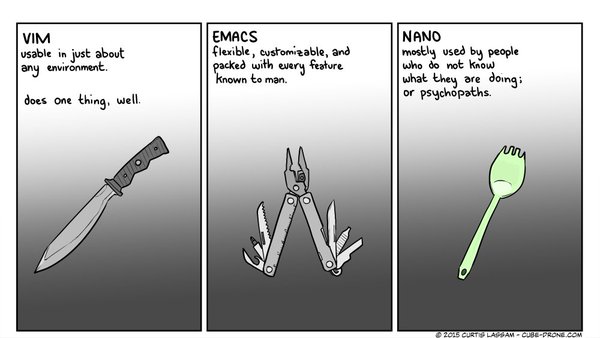
Particularly as there are now excellent IDEs for Python, Julia, and R without Emacs learning curve (think VS Code, RStudio, or JupyterLab).
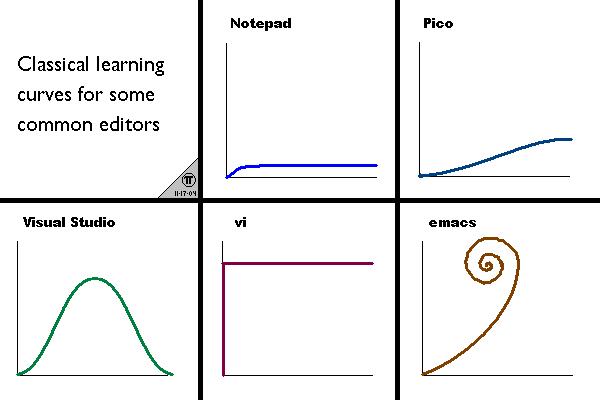
Why I still use (and love) Emacs
- Bookmarking
- Fully customizable
- Kbd for everything
- Org mode (org tables!)
- Organization of windows
- Search and replace with regexp
- Ediff
- Macros
- Emacs everywhere (emails, Slack, Telegram with mu4e, emacs-slack, telega)
Helm
- Searching in buffer
- Navigating open buffers and recent files
- Navigating file sections
- Selecting from kill ring
- Moving in mark ring
- Looking at active modes
Completion
Undoing/redoing with undo-tree
Classic undo/redo
The classic undo/redo in the vast majority of software follows a linear system:
flowchart TD
   1((" "))---2((" ")):::current
   classDef current stroke: #f96, stroke-width: 2px
flowchart TD
   1((" "))---2((" "))---3((" ")):::current
   classDef current stroke: #f96, stroke-width: 2px
flowchart TD
   1((" "))---2((" "))---3((" "))---4((" ")):::current
   classDef current stroke: #f96, stroke-width: 2px
flowchart TD
   1((" "))---2((" "))---3((" ")):::current---4((" "))
   classDef current stroke: #f96, stroke-width: 2px
flowchart TD
   1((" "))---2((" ")):::current---3((" "))---4((" "))
   classDef current stroke: #f96, stroke-width: 2px
flowchart TD
   1((" "))---2((" "))---3((" ")):::current---4((" "))
   classDef current stroke: #f96, stroke-width: 2px
flowchart TD
   1((" "))---2((" "))---3((" "))-.-4((" ")):::lost
   3((" "))---5((" ")):::current
   classDef current stroke: #f96, stroke-width: 2px
   classDef lost stroke-dasharray: 3 4
flowchart TD
   1((" "))---2((" "))---3((" ")):::current-.-4((" ")):::lost
   3((" "))---5((" "))
   classDef current stroke: #f96, stroke-width: 2px
   classDef lost stroke-dasharray: 3 4
flowchart TD
   1((" "))---2((" ")):::current---3((" "))-.-4((" ")):::lost
   3((" "))---5((" "))
   classDef current stroke: #f96, stroke-width: 2px
   classDef lost stroke-dasharray: 3 4
flowchart TD
   1((" "))---2((" "))---3((" ")):::current-.-4((" ")):::lost
   3((" "))---5((" "))
   classDef current stroke: #f96, stroke-width: 2px
   classDef lost stroke-dasharray: 3 4
flowchart TD
   1((" "))---2((" "))---3((" "))-.-4((" ")):::lost
   3((" "))---5((" ")):::current
   classDef current stroke: #f96, stroke-width: 2px
   classDef lost stroke-dasharray: 3 4
This system is basic, unsophisticated, and frustrating each time you lose edits.
Emacs undo/undo
Emacs offers a very interesting approach: while still a linear system, no edits are ever lost because Emacs does not have any redo. To redo, you undo the undo.
---
config:
  themeVariables:
    fontSize: 10
  rankSpacing: 10
---
flowchart TD
   1((1)):::current
   classDef current stroke: #f96, stroke-width: 2px, color: #f96
---
config:
  rankSpacing: 10
---
flowchart TD
   1((1))---2((2)):::current
   classDef current stroke: #f96, stroke-width: 2px, color: #f96
---
config:
  rankSpacing: 10
---
flowchart TD
   1((1))---2((2))---3((3)):::current
   classDef current stroke: #f96, stroke-width: 2px, color: #f96
---
config:
  rankSpacing: 10
---
flowchart TD
   1((1))---2((2))---3((3))---4((4)):::current
   classDef current stroke: #f96, stroke-width: 2px, color: #f96
---
config:
  rankSpacing: 10
---
flowchart TD
   1((1))---2((2))---3((3))---4((4))---5((3)):::current
   classDef current stroke: #f96, stroke-width: 2px, color: #f96
---
config:
  rankSpacing: 10
---
flowchart TD
   1((1))---2((2))---3((3))---4((4))---5((3))---6((2)):::current
   classDef current stroke: #f96, stroke-width: 2px, color: #f96
---
config:
  rankSpacing: 10
---
flowchart TD
   1((1))---2((2))---3((3))---4((4))---5((3))---6((2))---7((3)):::current
   classDef current stroke: #f96, stroke-width: 2px, color: #f96
---
config:
  rankSpacing: 10
---
flowchart TD
   1((1))---2((2))---3((3))---4((4))---5((3))---6((2))---7((3))---8((5)):::current
   classDef current stroke: #f96, stroke-width: 2px, color: #f96
---
config:
  rankSpacing: 10
---
flowchart TD
   1((1))---2((2))---3((3))---4((4))---5((3))---6((2))---7((3))---8((5))---9((3))---10((2))---11((3))---12((4))---13((3))---14((2))---15((1)):::current
   classDef current stroke: #f96, stroke-width: 2px, color: #f96
While this works, it quickly becomes an absolute hell not to get lost in the growing chain of undos, undo the undos, undo the undos of the undos… not to mention that if you enter any non-undo command in the chain, you break it and you will have to do it all over again (plus the new undos you did before breaking the chain 🤯).
Undo-tree
The obvious solution is to use a non-linear system, that is a tree system.
flowchart TD
   1((" ")):::current
   classDef current stroke: #f96, stroke-width: 2px, color: #f96
flowchart TD
   1((" "))---2((" ")):::current
   classDef current stroke: #f96, stroke-width: 2px, color: #f96
flowchart TD
   1((" "))---2((" "))---3((" ")):::current
   classDef current stroke: #f96, stroke-width: 2px, color: #f96
flowchart TD
   1((" "))---2((" "))---3((" "))---4((" ")):::current
   classDef current stroke: #f96, stroke-width: 2px, color: #f96
flowchart TD
   1((" "))---2((" "))---3((" ")):::current---4((" "))
   classDef current stroke: #f96, stroke-width: 2px, color: #f96
flowchart TD
   1((" "))---2((" ")):::current---3((" "))---4((" "))
   classDef current stroke: #f96, stroke-width: 2px, color: #f96
flowchart TD
   1((" "))---2((" "))---3((" ")):::current---4((" "))
   classDef current stroke: #f96, stroke-width: 2px, color: #f96
flowchart TD
   1((" "))---2((" "))---3((" "))---4((" "))
   3((" "))---5((" ")):::current
   classDef current stroke: #f96, stroke-width: 2px, color: #f96
flowchart TD
   1((" "))---2((" "))---3((" "))---4((" "))
   3((" ")):::current---5((" "))
   classDef current stroke: #f96, stroke-width: 2px, color: #f96
flowchart TD
   1((" "))---2((" "))---3((" "))---4((" ")):::current
   3((" "))---5((" "))
   classDef current stroke: #f96, stroke-width: 2px, color: #f96
flowchart TD
   1((" ")):::current---2((" "))---3((" "))---4((" "))
   3((" "))---5((" "))
   classDef current stroke: #f96, stroke-width: 2px, color: #f96
This is truly great (undo-tree was actually first implemented in Vim, but 🤫).
Emacs with Python
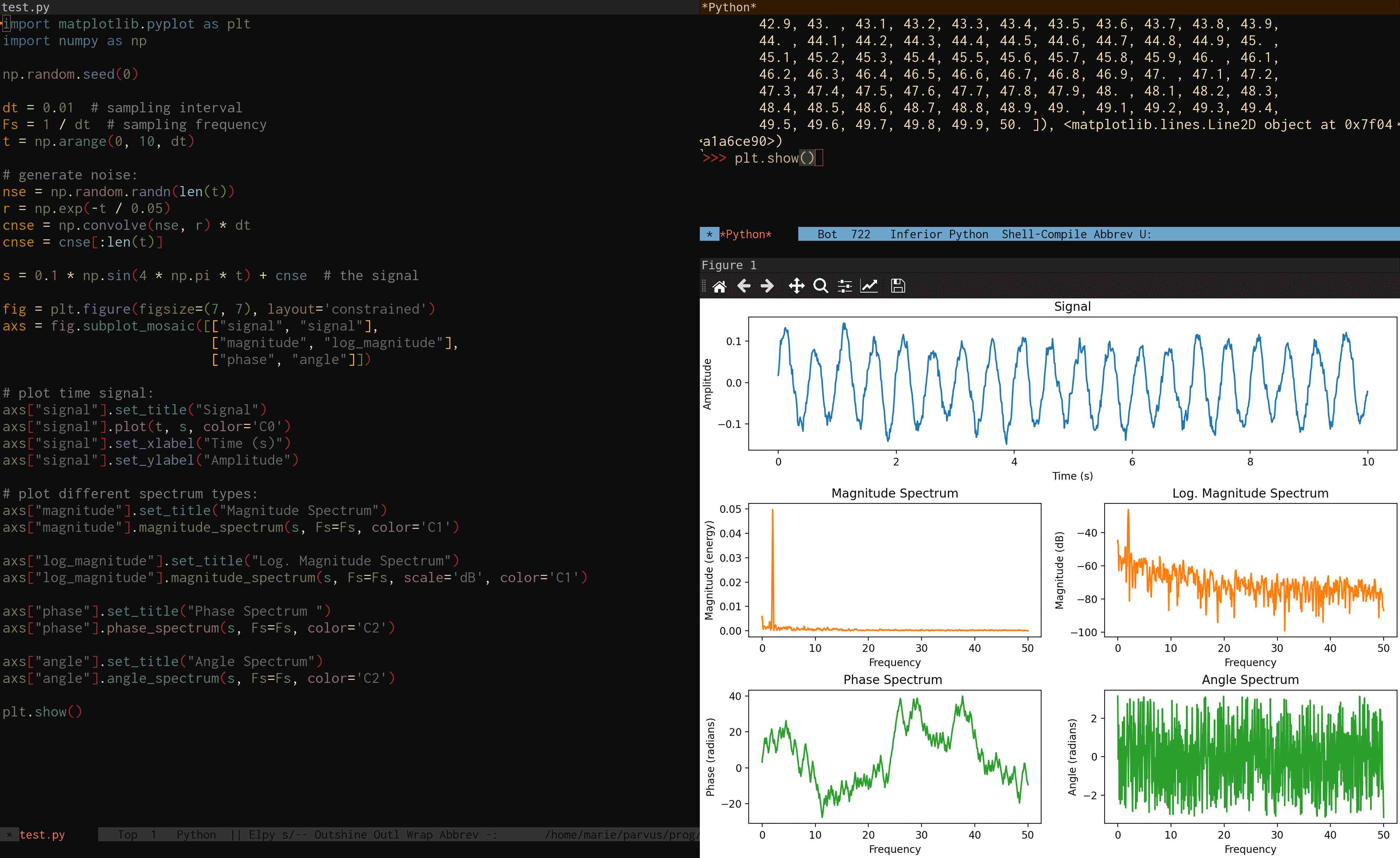
Emacs comes with a Python mode that provides syntax highlighting. For a full IDE experience, there are multiple options, the most popular of which being the elpy package:
Emacs with R
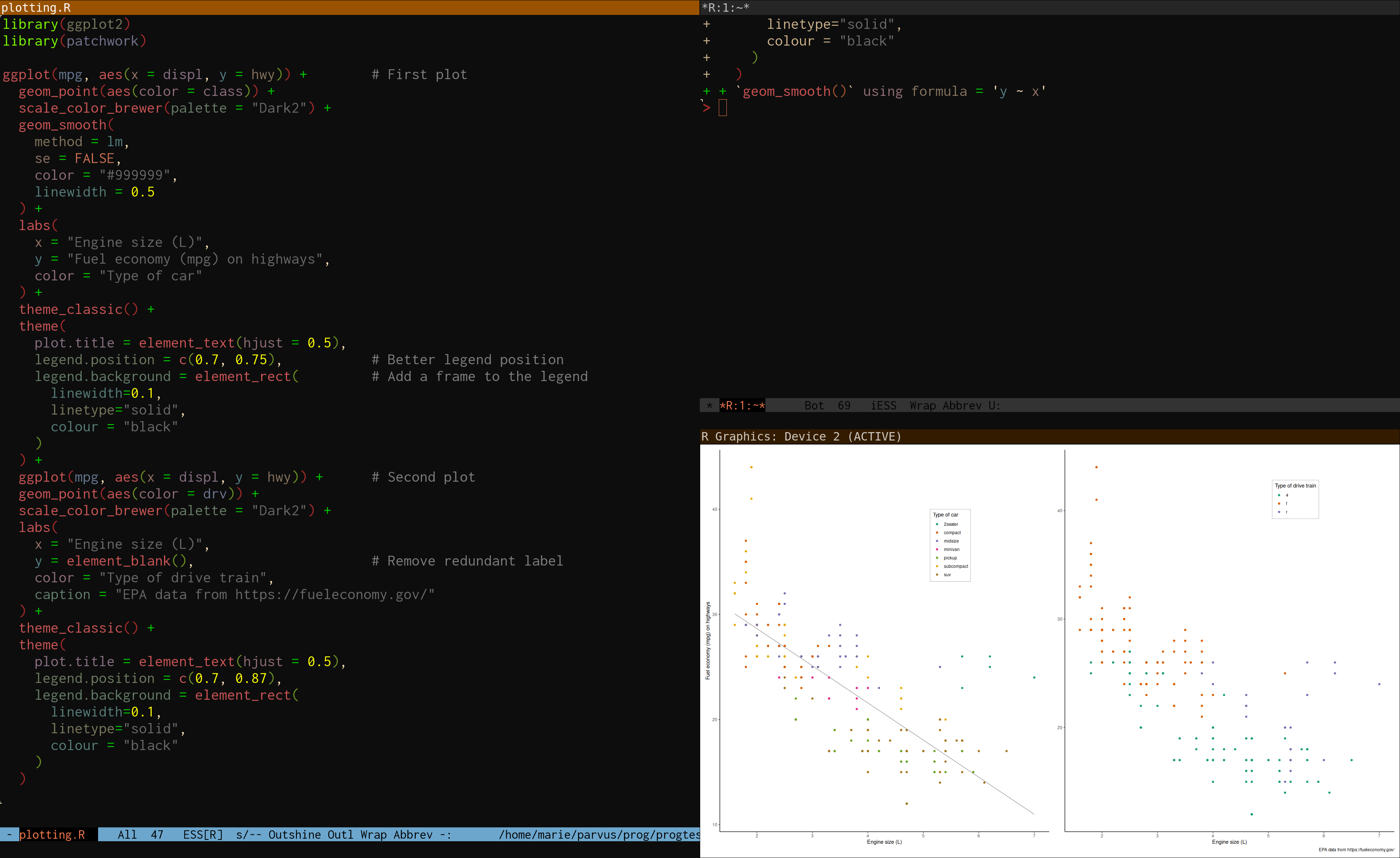
R is—as Emacs—GNU software and has been integrated with Emacs via the ESS (Emacs Speaks Statistics) package for a very long time:
Emacs with Julia
The julia-mode package provides syntax highlighting and the julia-repl package implements a fully functional Julia REPL, optionally with the emacs-libvterm package:
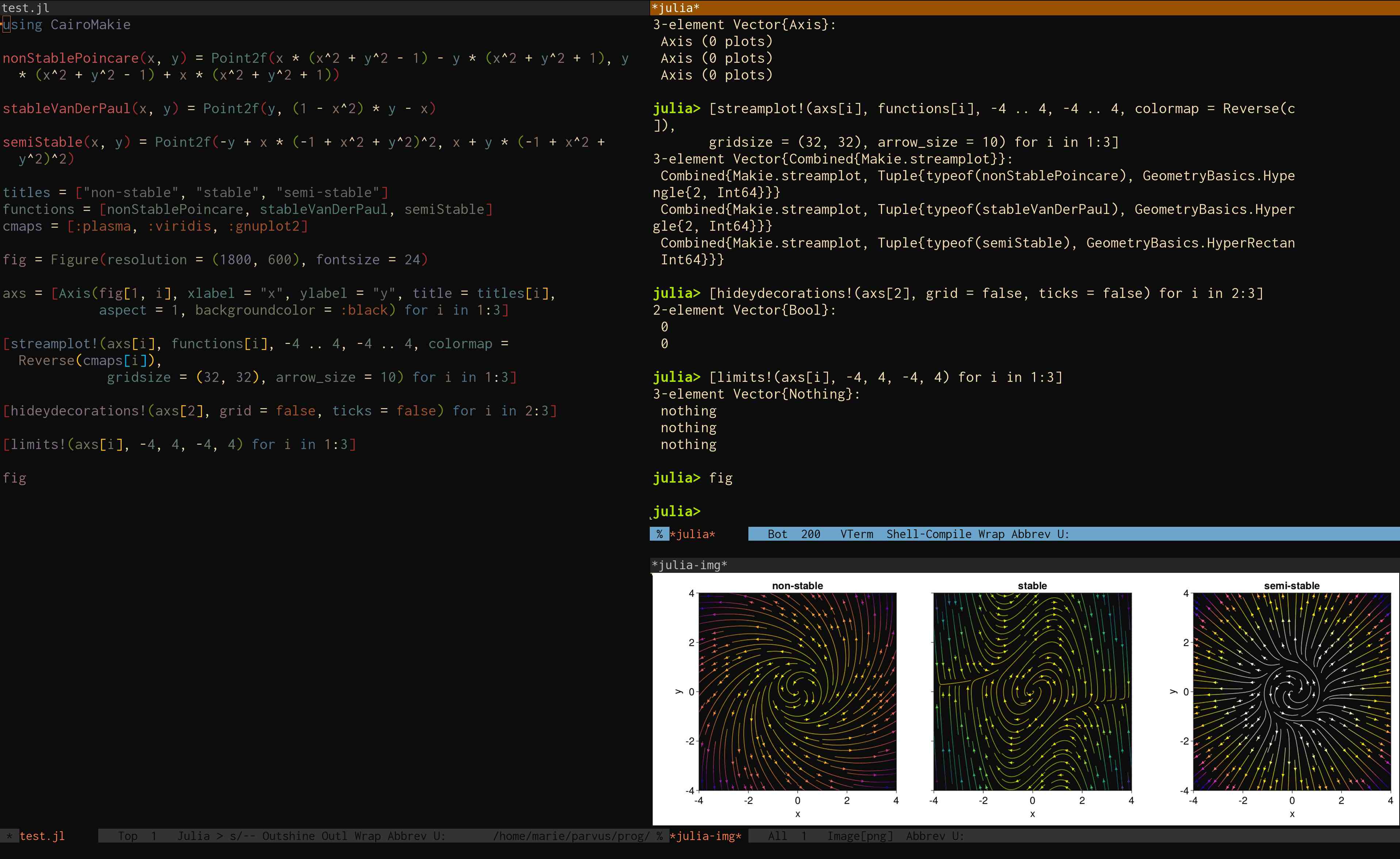
ESS also provides an IDE for Julia, but it does not allow for the funky Julia-specific REPL.
Another sophisticated option is to use julia-mode with the julia-snail package.